About incident report templates
Incident report templates can make a tough situation a little easier. When an unexpected event occurs, documenting it clearly can save you time and confusion later. You can start with a blank template tailored to highlight key information, which helps you focus on what truly matters. Our templates guide you in providing a thorough account without getting lost in details.
With our incident report template, you can rest assured knowing that essential areas are covered, reducing the risk of overlooking important facts. A standout feature is the practical design, helping you complete reports quickly and efficiently. We've analyzed the necessary fields and included them in ours, which means you’ll have a useful sample to rely on while creating your report.
Frequently asked questions
What is an incident report template?

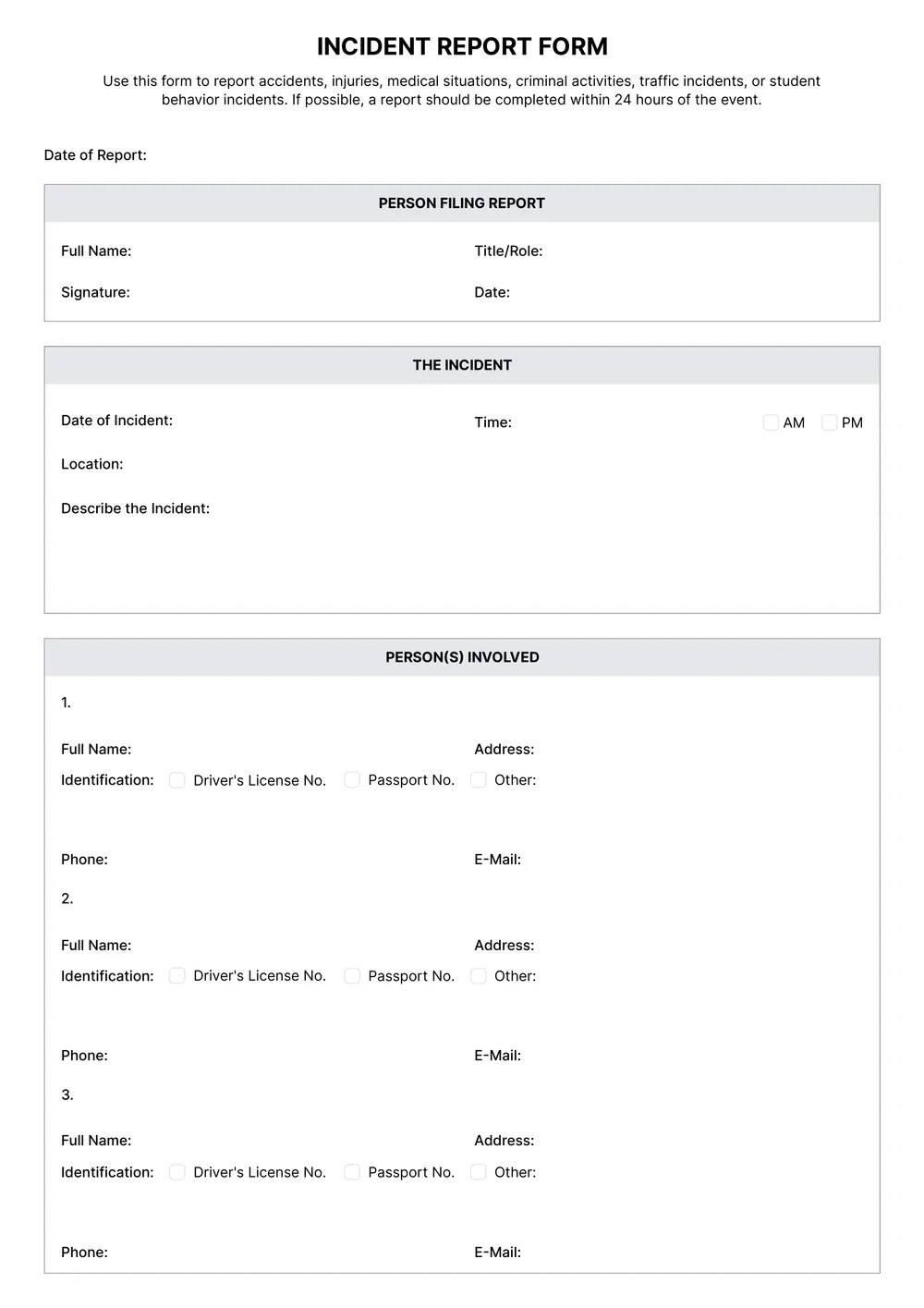
An incident report template is a structured document designed to document details of an incident or event, such as accidents or safety breaches. It provides an outline for what information to include, like who was involved, what happened, where it occurred, and when. By using this template, you can create a clear record that can help in investigations or follow-ups related to the incident.
When should you use an incident report template?
Using an incident report template can help in various situations:
- After an accident occurs in the workplace,
- When a safety violation is noticed,
- If there’s a conflict among staff members,
- On the day of a service outage,
- Upon discovering property damage.
This editable template allows you to structure your report quickly and clearly.
What information should be included in an incident report template?
An incident report template should include vital details like the date, time, and location of the incident, description of events, people involved, witnesses' names, and any actions taken. Make sure you can edit this template to fit each specific situation while capturing all essential information.
How to edit an incident report template?
- Click 'Use Template' on the incident report template page;
- A draft version will open in the PDF editor;
- Locate the placeholder fields for the details you need to edit;
- Fill in your information as required;
- Once finished, click 'Done' to download your completed report;
- The edited version will also save in your account for future access.
Who can use an incident report template?
Anyone can use an incident report template, including businesses, schools, or individuals. It’s ideal for employees reporting workplace issues, educators documenting incidents in schools, or personal use for accidents or events. Whoever needs to keep a record of an incident can benefit from this template.
Can I download the incident report template as a PDF or another format?
You can download the incident report template as a printable PDF or in other formats, including Word, Excel, PowerPoint, PNG, and JPG. Just edit the template, then choose your preferred format when you're ready to download it.
What are some tips for filling out the incident report template?
Start by reading the whole template first; this will help you understand what information is needed. Fill out details clearly, focusing on facts, dates, and times. Include all necessary witness information. Double-check your entries for clarity and accuracy before downloading your completed report.
How can I share the completed incident report with others?
Once you finish your incident report, download the PDF to your device. You can then attach it to an email or share it through cloud services like Google Drive or Dropbox. Just send the link or attachment to anyone who needs it; they can view or download it as needed.